Paperly
PDF app for iPhone and iPad

Sign, merge and convert PDFs. 100% free.

Paperly finds every signature field for you, merges a stack of PDFs into one, and turns photos, Word and Excel into PDFs. Everything happens on your iPhone.

  • No ads
  • No subscription
  • No account
  • 50+ PDF tools
Coming soon to theApp Store
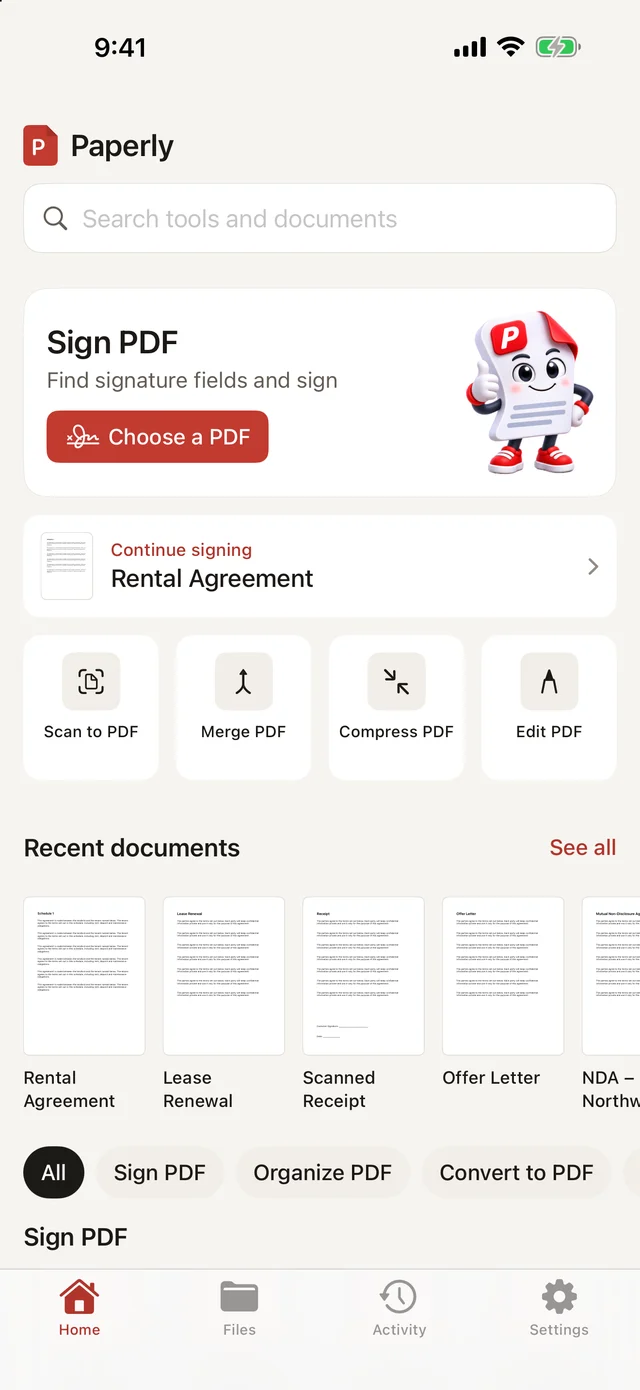
Paperly's home screen with Sign PDF, recent documents and PDF tools

Merge PDFs

Sign a stack, send one file

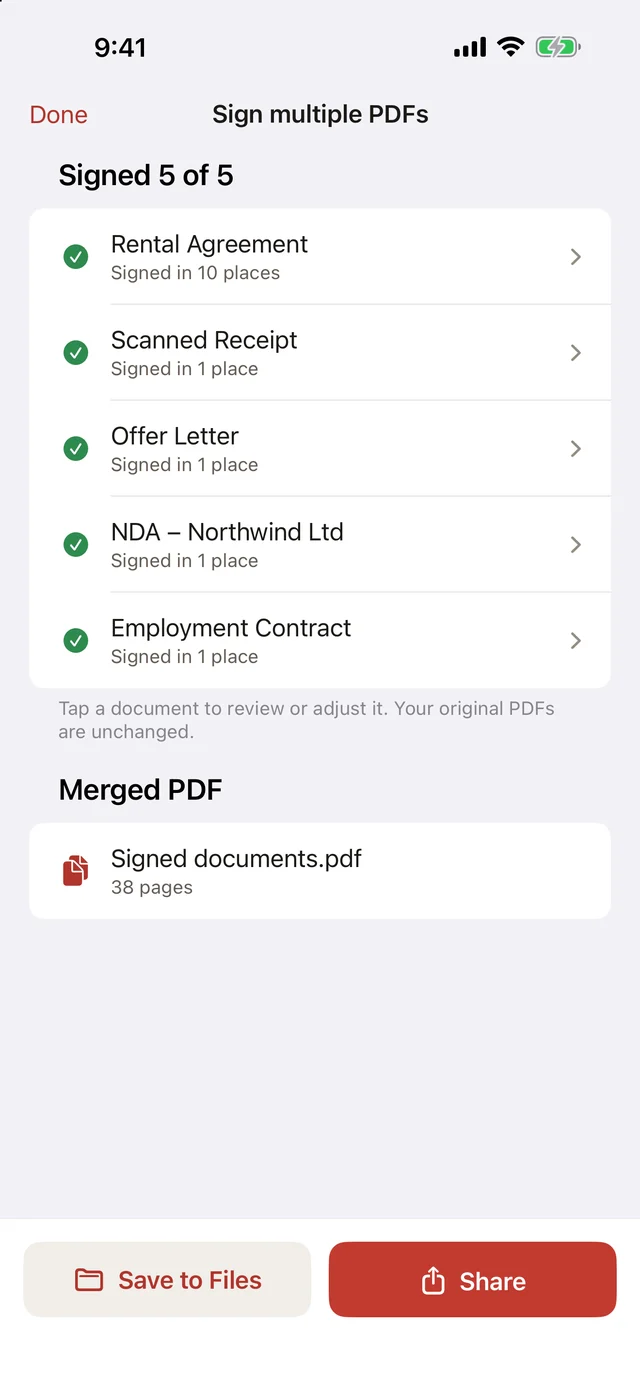
Pick several documents, sign them all in one go, and save them as separate files or merged into a single PDF.

  • Sign many PDFs at once
  • Merge PDF files, scans and photos into one PDF
  • Reorder, rotate and delete pages
Paperly signing five PDFs at once and merging them into one PDF

PDF converter

Word, Excel and photos to PDF

Turn pictures, documents and spreadsheets into clean PDFs, and turn PDFs back into images, Word, Excel or text. It all works offline.

  • Photos, JPG, PNG and HEIC to PDF
  • Word, Excel and PowerPoint to PDF
  • PDF to JPG, PNG, Word, Excel and text
  • Scan paper with your camera, with OCR
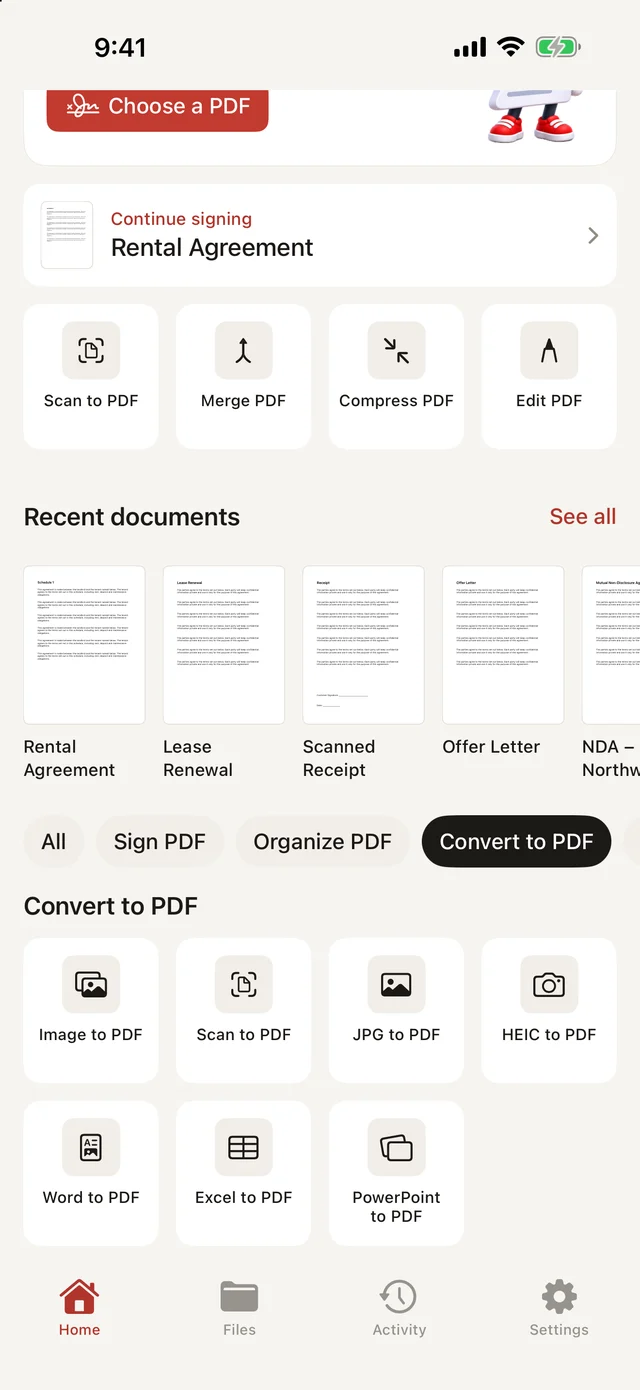
Paperly's convert screen with image, Word, Excel and PowerPoint to PDF tools

eSign

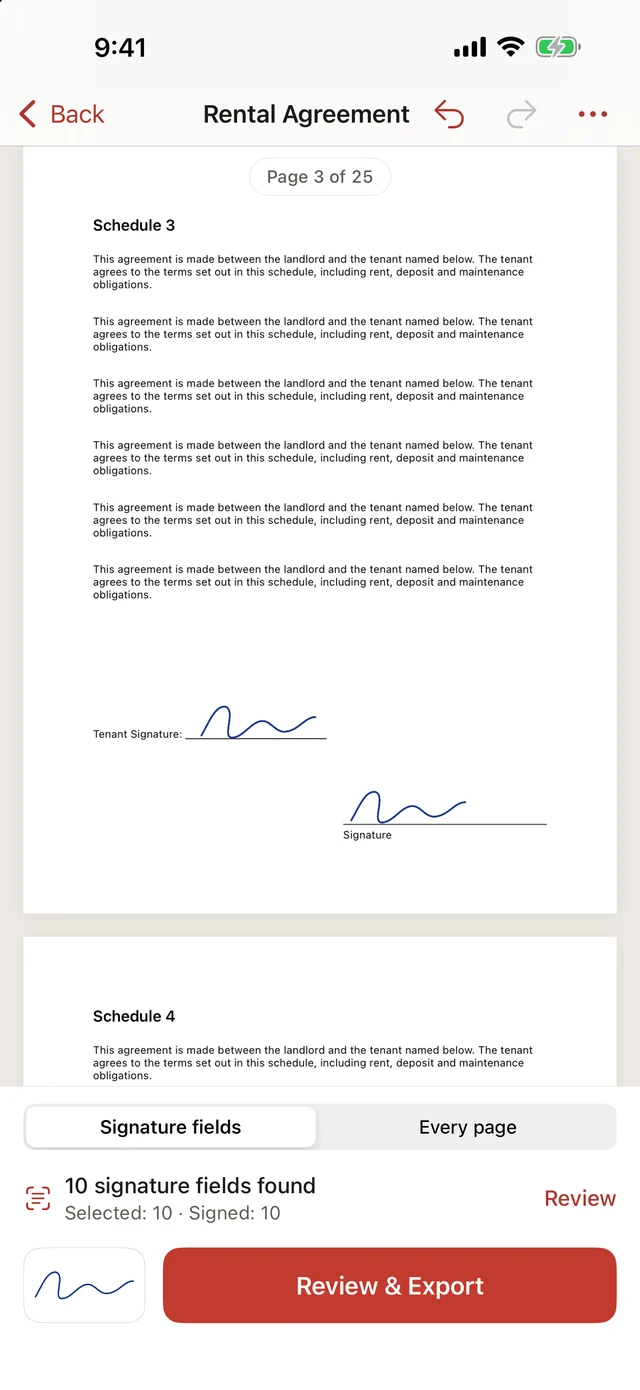
Every field, found for you

Paperly reads every page and finds where your signature belongs: signature lines, boxes and "Sign here" labels. Review the suggestions, then sign every field in one tap.

  • Draw your signature with a finger or Apple Pencil
  • Save signatures and initials, add dates and your name
  • Digital signatures with your own certificate (.p12 / .pfx)
A rental agreement in Paperly with ten signature fields found and signed

Compress

Big PDFs, ready to share

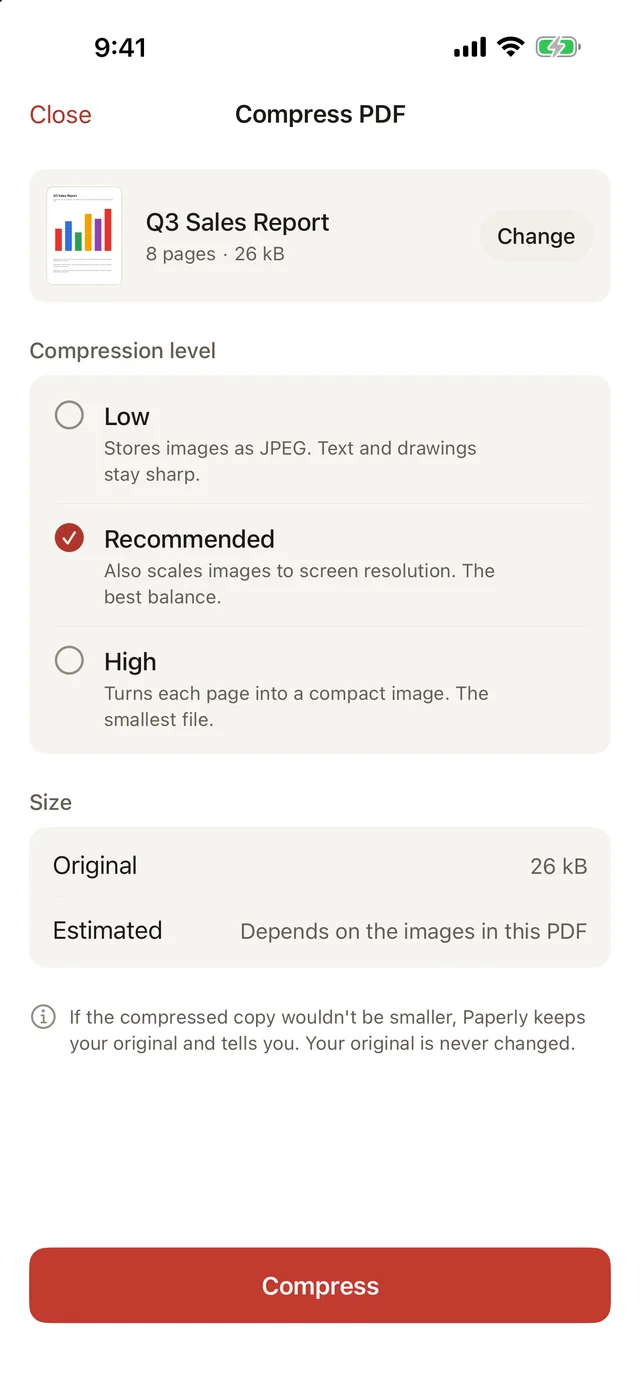
Shrink a heavy PDF so it fits in an email or a chat. You choose how small, and your original is never changed.

  • Three compression levels
  • See the estimated size first
  • Every tool saves a new file
Paperly's compress screen with low, recommended and high compression levels

50+ PDF tools in one free app

Everything you usually need three apps and a subscription for.

Sign

  • Auto-detect signature fields
  • Sign many PDFs at once
  • Initials, dates and names
  • Certificate digital signatures
  • Add fields for others

Organize

  • Merge and combine PDFs
  • Split and extract pages
  • Rotate, reorder, duplicate
  • Delete and insert pages

Convert

  • Photos to PDF
  • Word, Excel, PowerPoint to PDF
  • PDF to JPG, PNG, Word, Excel
  • Scan to PDF with OCR

Edit

  • Text, images and shapes
  • Highlight, underline, strike
  • Drawings and comments
  • Page numbers, watermarks, crop

Protect

  • Lock a PDF with a password
  • Unlock a PDF you can open
  • Redact sensitive text
  • Flatten forms

Optimize

  • Compress to the size you pick
  • Repair damaged PDFs
  • Optimize for sharing
  • Make scans searchable

Your documents stay on your iPhone

Contracts, IDs and bank forms are private. Paperly does all of its work on your device and never uploads your files or signatures.

No accountOpen the app and start. There is nothing to sign up for.

No uploadsSigning, OCR and conversion run on the device.

No trackingNo analytics, no ads, no data sold to anyone.

Originals untouchedEvery tool saves a new file, so you never lose the original.

Read the privacy policy

Questions

Is Paperly really free?

Yes. Every tool is free, with no ads, no subscription, no in-app purchases and no account.

Are my documents uploaded anywhere?

No. Signing, converting, compressing and text recognition all run on your iPhone or iPad. Files leave Paperly only when you save or share them yourself.

Is an electronic signature from Paperly legally binding?

In many countries an electronic signature is accepted for everyday agreements, but the rules differ by country and by document. Paperly can also apply a certificate-based digital signature with your own .p12 or .pfx certificate. Check what the other party or your local law requires for important documents.

Does Paperly work offline?

Yes. Every tool works without an internet connection.

Which devices and languages does it support?

Paperly runs on iPhone and iPad and is available in 25 languages, with Dark Mode, Dynamic Type and VoiceOver.

Can I merge PDFs and convert photos to PDF?

Yes. Merge any number of PDFs, scans and photos into one file, and convert photos, Word, Excel and PowerPoint files to PDF.

Something else? Visit support.

Sign your next PDF in seconds

Free, private and made for iPhone and iPad.

Coming soon to the App Store